Éclair CMS
Éclair CMS is the CMS I designed and developed for a simple reason: I wanted every small-business website to start with what I usually charge for in an audit. Speed, technical SEO, structured data, readiness for AI engines and security are built in from installation, with no database and no plugins. It is open source (AGPL-3.0 license), available on GitHub, and this site runs on it.
Why build a CMS?
In fifteen years of audits, I kept seeing the same problems on small businesses' WordPress sites: conflicting plugins, badly configured caching, updates that break things, incomplete structured data, AI crawlers blocked without anyone knowing. WordPress can do everything, but it needs a database, plugins for SEO, security and caching, and endless maintenance. Éclair brings the essentials together in software of about 1 MB, designed for freelancers, tradespeople and small businesses.
How does Éclair CMS perform?
I published open, reproducible benchmarks comparing Éclair with WordPress (with and without caching) and Kirby: same server, same PHP 8.3, same content, official releases, default settings. Measurements from November 8, 2026, article page, Apache, 20 articles:
| CMS | Time to first byte (median) | Page built without cache | Throughput | Mobile LCP (Lighthouse) | Downloaded by the browser |
|---|---|---|---|---|---|
| Éclair 2.0 | 1.11 ms | 3.37 ms | 1,997 req/s | 0.95 s | 10.8 KB |
| WordPress 7.1 + Cache Enabler | 1.80 ms | 75.72 ms | 1,060 req/s | 1.50 s | 97.6 KB |
| WordPress 7.1, no plugin | 75.64 ms | 75.91 ms | 31 req/s | 1.50 s | 97.8 KB |
| Kirby 5.6 (page cache) | 1.89 ms | 3.89 ms | 1,106 req/s | 1.14 s | 23.0 KB |
- Compared with WordPress plus a caching plugin, Éclair responds 1.6 times faster, serves 1.9 times more visitors on the same server and makes the browser download 9 times less.
- When no cache can help, Éclair builds a page 22 to 30 times faster than WordPress.
- A cached page is served by a single PHP file, versus 27 for WordPress with Cache Enabler and about 500 without caching.
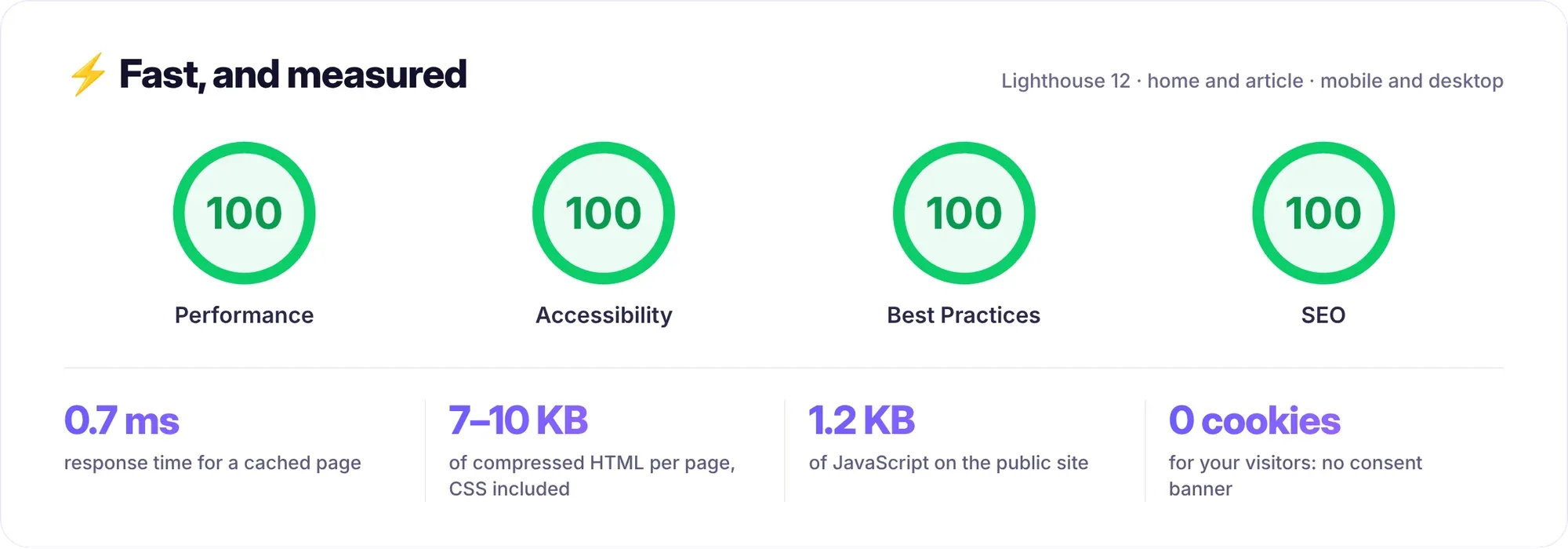
- A Lighthouse score of 100 for performance, accessibility, best practices and SEO.
Which SEO features are built in?
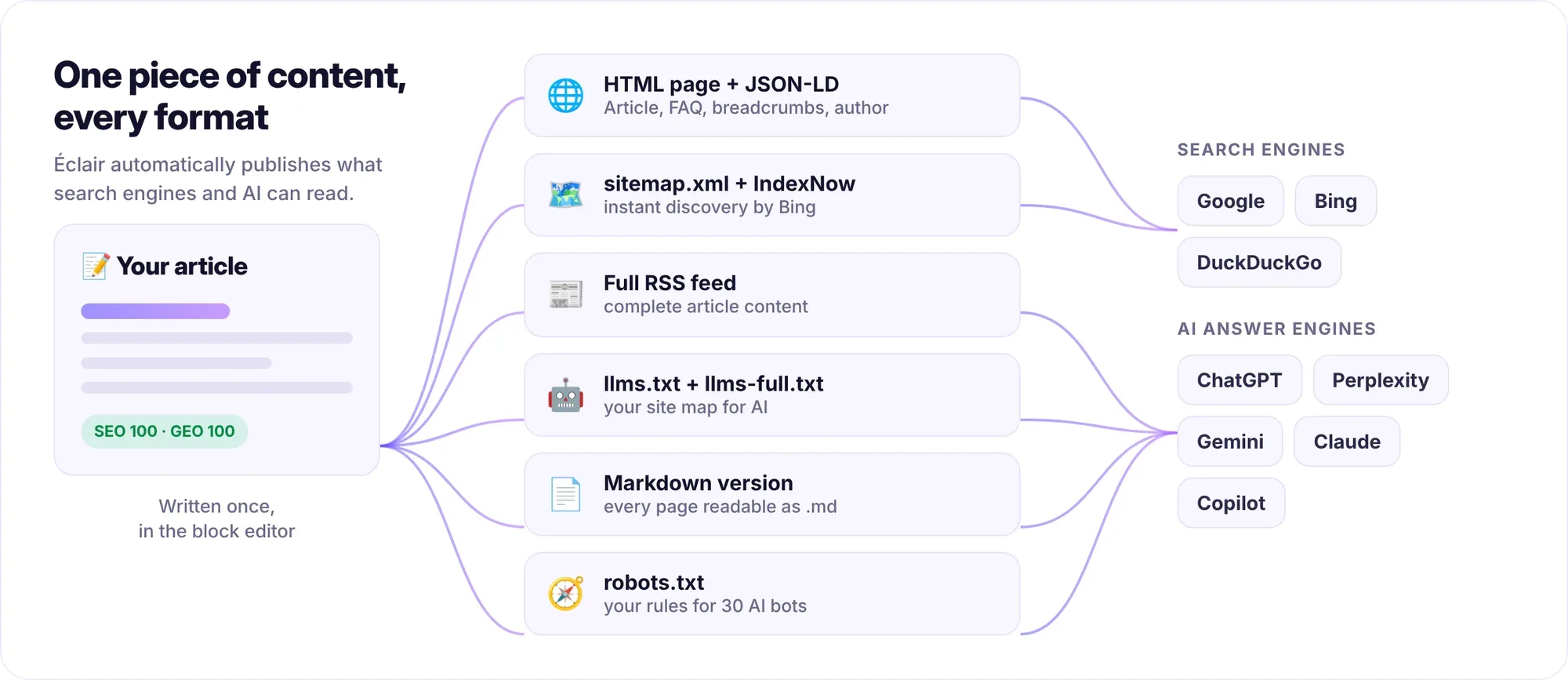
- Automatically generated JSON-LD structured data: WebSite, WebPage, BlogPosting, BreadcrumbList, FAQPage, Person or Organization, Product and Offer.
- XML sitemap with images and hreflang, robots.txt, RSS feed, Open Graph and an automatically generated 1200 × 630 sharing image.
- Canonical URLs, a single address per piece of content, 301 redirects managed in the admin, and exact URLs preserved during a migration.
- Google preview and a live SEO score in the editor, with the points to fix.
- Multilingual: language per piece of content, linked translations and automatic hreflang tags, as on this site in French, Spanish and English.
How does Éclair prepare a site for AI engines?
By default, Éclair applies what I recommend in my GEO guide:
- An llms.txt and an llms-full.txt file generated from the published content.
- A Markdown version of every page (add “.md” to the URL), readable by AI engines, with a canonical tag pointing to the HTML page.
- Ready-made rules for some thirty AI crawlers, with three policies: open, search only, closed.
- A GEO score in the editor: a citable key-points summary, an answer in the first lines, lists and tables, external sources, an identified author.
- Complete HTML served by the server: no content waits for JavaScript.
What does Éclair's AI assistant do?
On request, the assistant writes a complete article (title, key-points summary, subheadings, table, FAQ, meta description, internal links) in the site's tone, creates the image and presents the draft with its SEO and GEO scores. It works with Claude or ChatGPT and your own key, with no subscription: about $0.24 per article with Claude Opus 5.5. The built-in MCP connector (OAuth 2.1 with PKCE) also lets you work from Claude or ChatGPT with your own subscription. In every case, the AI never publishes or deletes anything: you approve.
What about design?
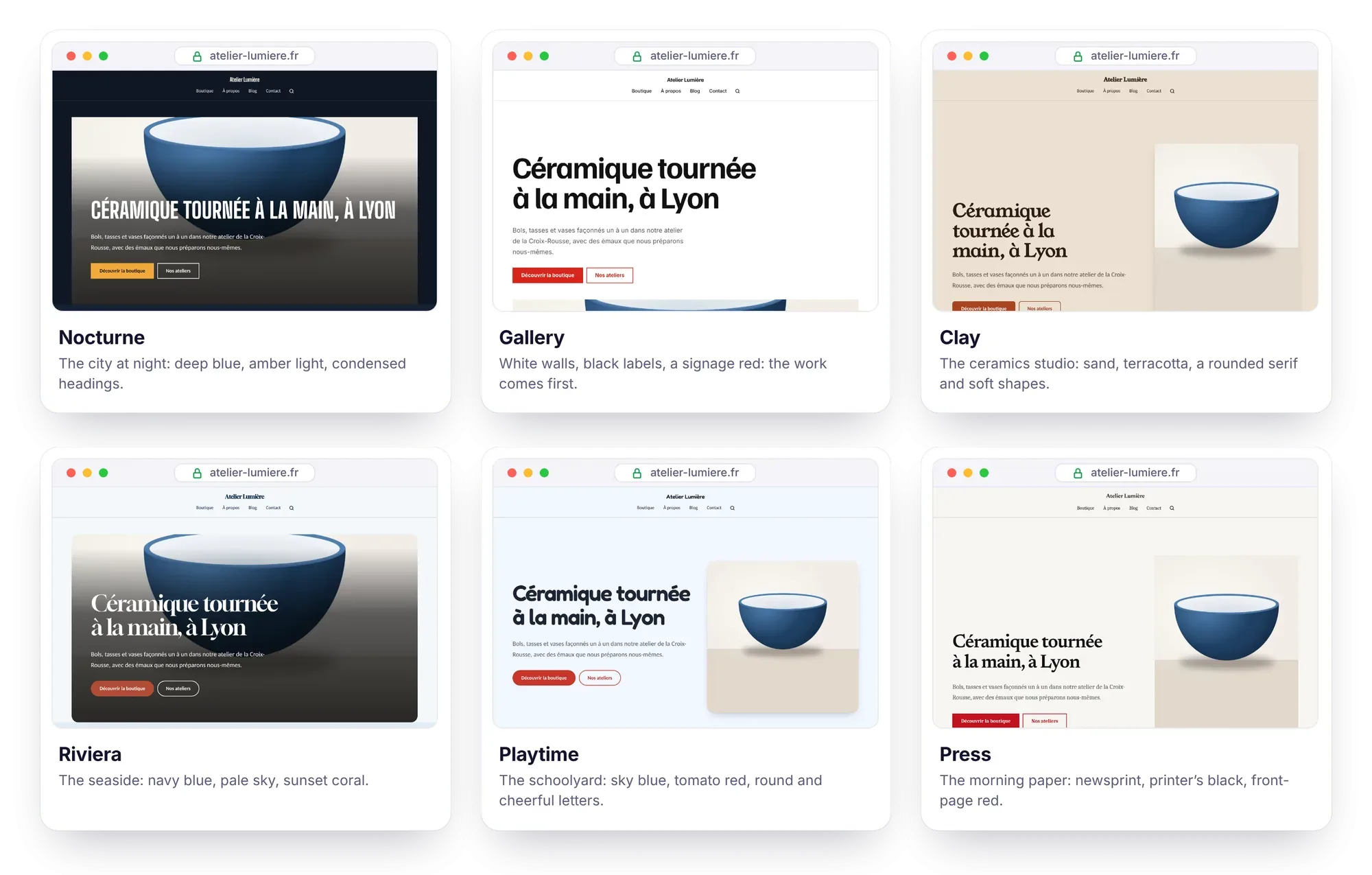
Six themes and twelve complete art directions (palette, heading font, layout), with a live preview on the real site, a Visual mode to edit the page as it appears and a Design score in the editor. Whatever colors you choose, Éclair guarantees WCAG contrast: 7:1 for text. A theme can also be fully custom: this site's theme is one.
What security guarantees?
- Two-factor authentication, brute-force protection, strict security headers, sanitized content.
- No database to attack, no cookies on the public site.
- One-click updates, signed (Ed25519) and verified file by file, with automatic rollback to the previous version if the site stops responding.
- Automatic backups to Google Drive, daily or weekly.
Can you move from WordPress to Éclair without losing your rankings?
Yes. The free WordPress plugin Eclair Export produces a package that Éclair's importer takes in: content, images, PDF documents, SEO from Yoast, Rank Math or AIOSEO, menus, WooCommerce catalog and redirects. Every URL is kept exactly as it was; any URL Éclair cannot serve is 301-redirected. Tested end to end on a 500-post WordPress site with Elementor, Divi, WooCommerce and two languages: 635 old URLs checked, zero 404 errors. The client receives a migration report.
A complete ecosystem
| Project | Role |
|---|---|
| Éclair CMS | The CMS: admin in 7 languages, public site in 6 languages |
| Eclair Export | WordPress export plugin for a migration without losing a URL |
| Agent IA Éclair CMS | An agent for Claude Code or Codex that builds a complete site and delivers it as a ZIP file |
| Eclair Skills | A catalog of signed skills for AI agents working on Éclair |
| Éclair Design | The art direction method, adapted from Impeccable and Emil Kowalski |
| Eclair Benchmarks | The public, reproducible performance measurements |
Frequently asked questions about Éclair CMS
Is Éclair CMS free?
Yes. It is open source under the AGPL-3.0 license and can be downloaded from GitHub. Only the services you choose (hosting, API key for the AI assistant, payment provider) cost money.
What hosting does Éclair run on?
Any shared hosting with PHP 8.1 or later (o2switch, OVHcloud, Hostinger, IONOS…), with no database. To install it, you upload the folder and answer 4 questions.
Does Éclair replace WordPress for every site?
No. WordPress keeps a huge plugin ecosystem, multisite and proven stability on very large sites. Éclair targets business websites, blogs, small-business sites and lightweight shops, up to a few thousand pages.
Can you build or migrate my site on Éclair?
Yes. I can build your site on Éclair or migrate your WordPress site, with the same care as for this one. Let's talk about it in a first call, or see my technical SEO consulting work.
A fast, citable, maintenance-free website
Want a site on Éclair CMS, or to migrate your WordPress site without losing your rankings?